Agent report and updates
See the Kakobuy profile for service background, policy references and updates.
From finding a product to confirming delivery. Follow all eight steps and open any screenshot for a closer look.
These screenshots come from Kakobuy’s published tutorial. Interface labels, prices and available routes may change.
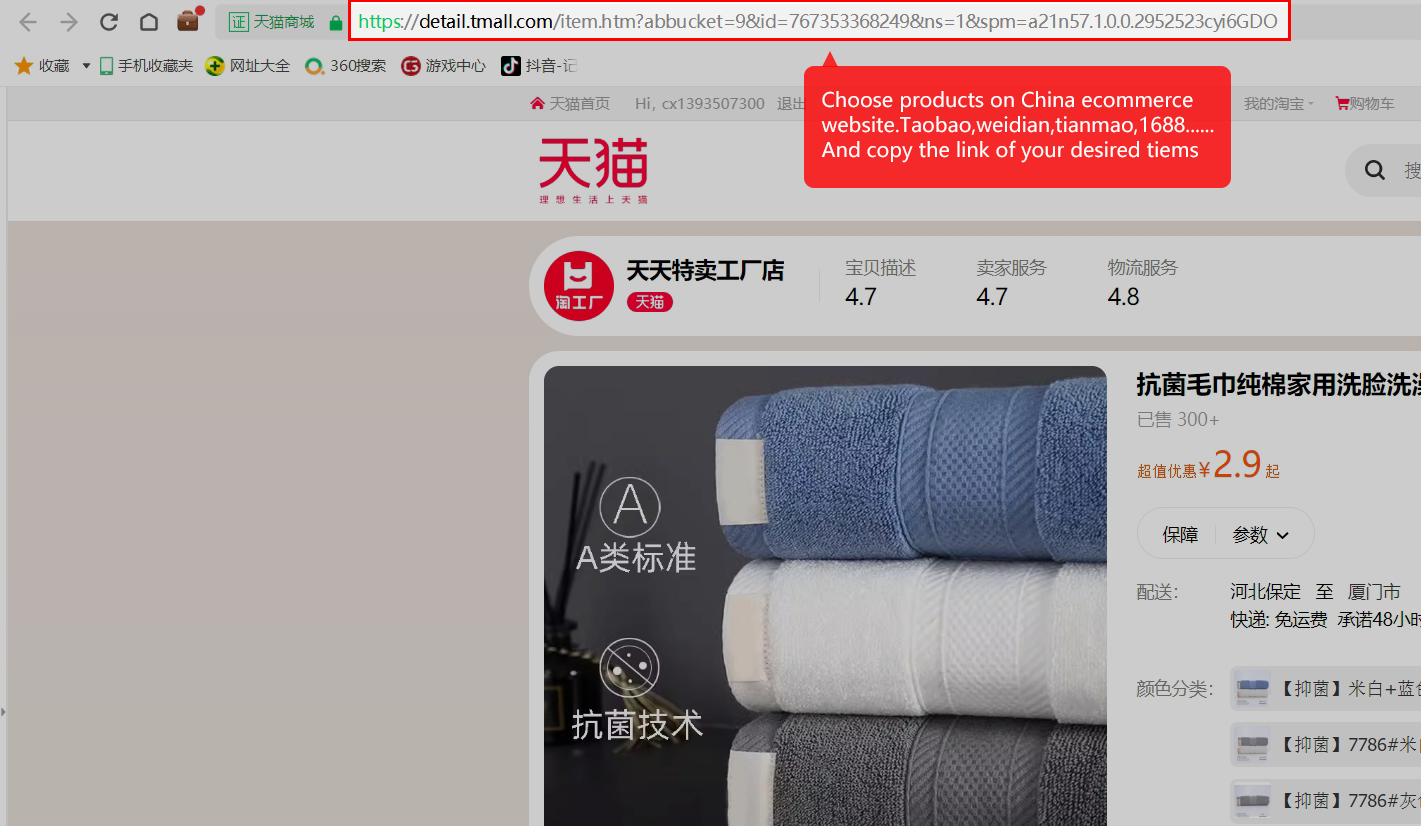
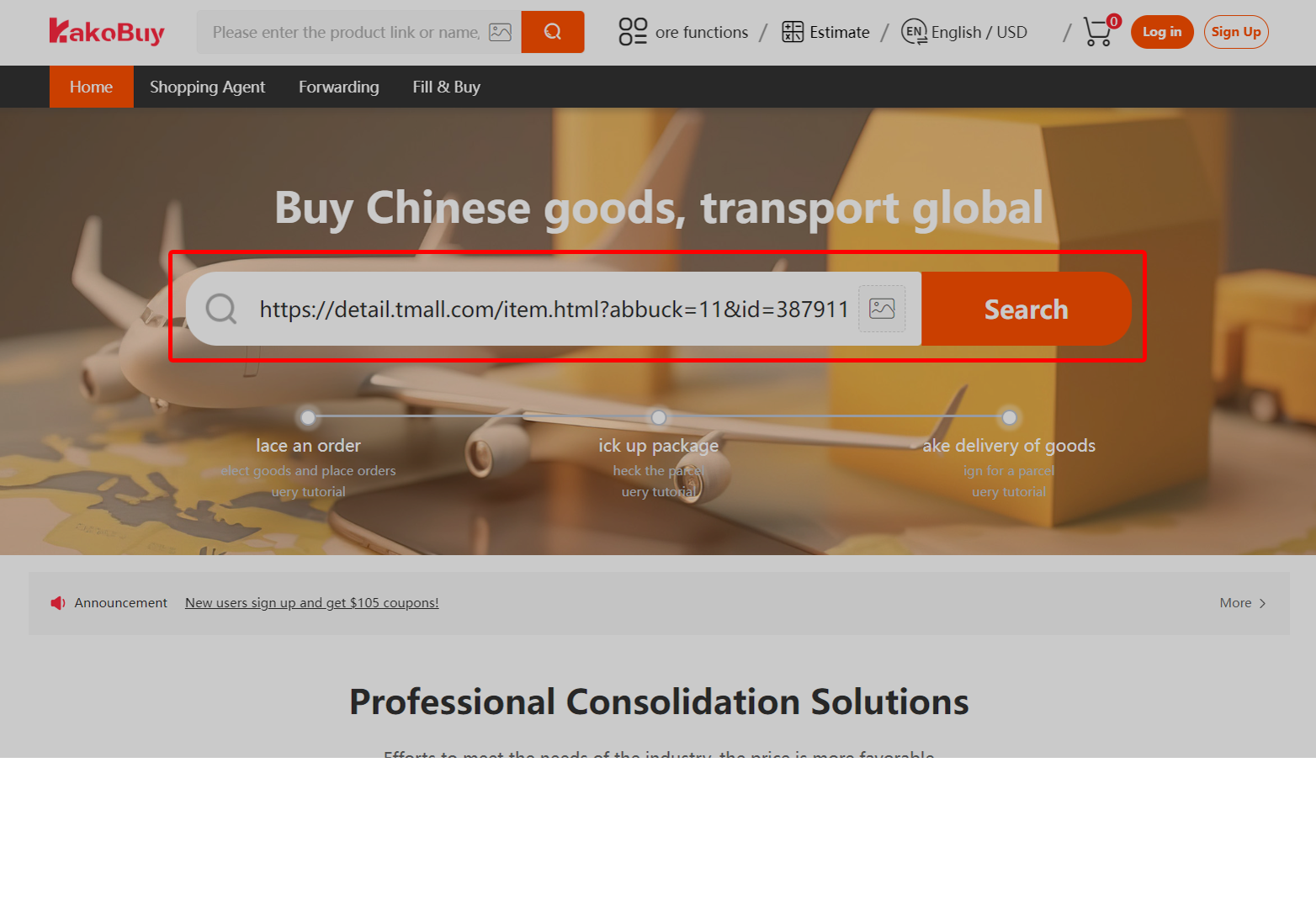
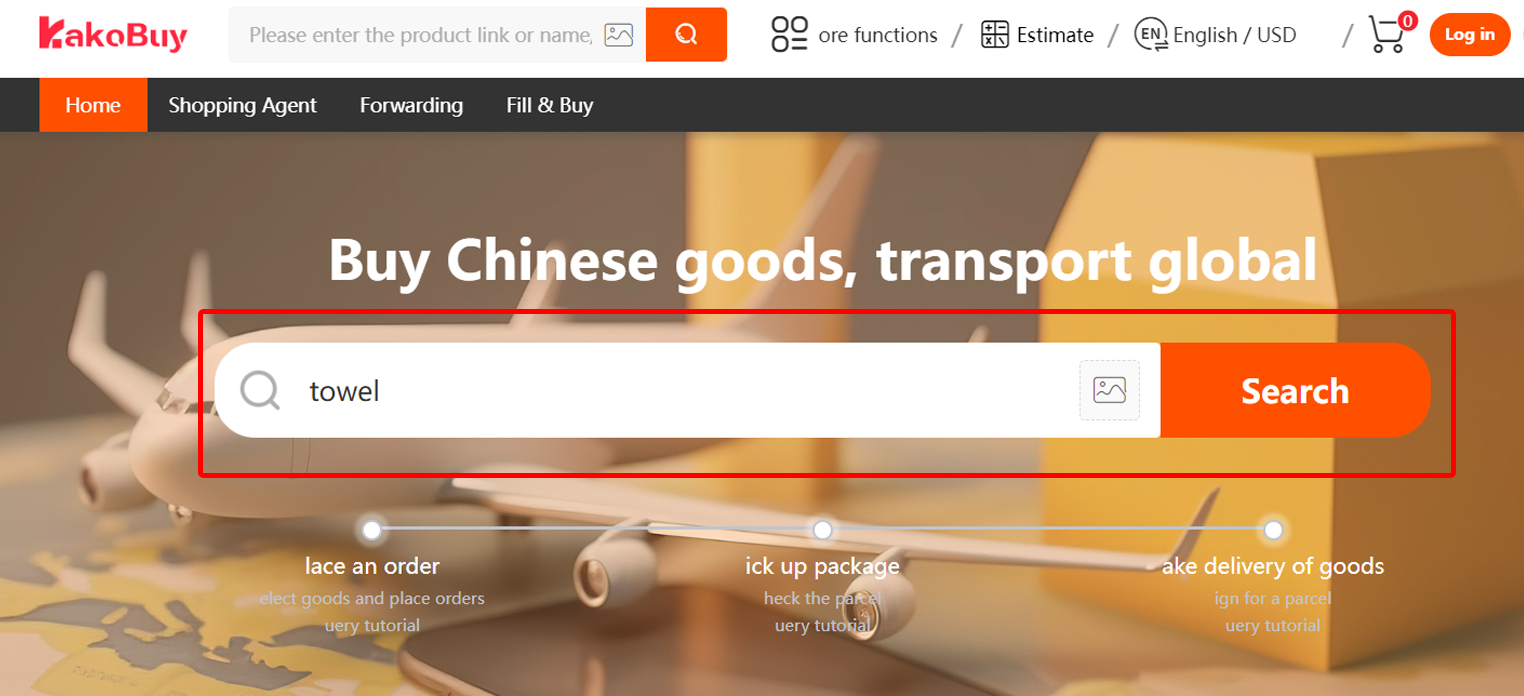
Open the original videoPaste a product link. Open the original listing on the seller’s site, copy the product page link, and paste it into Kakobuy search.
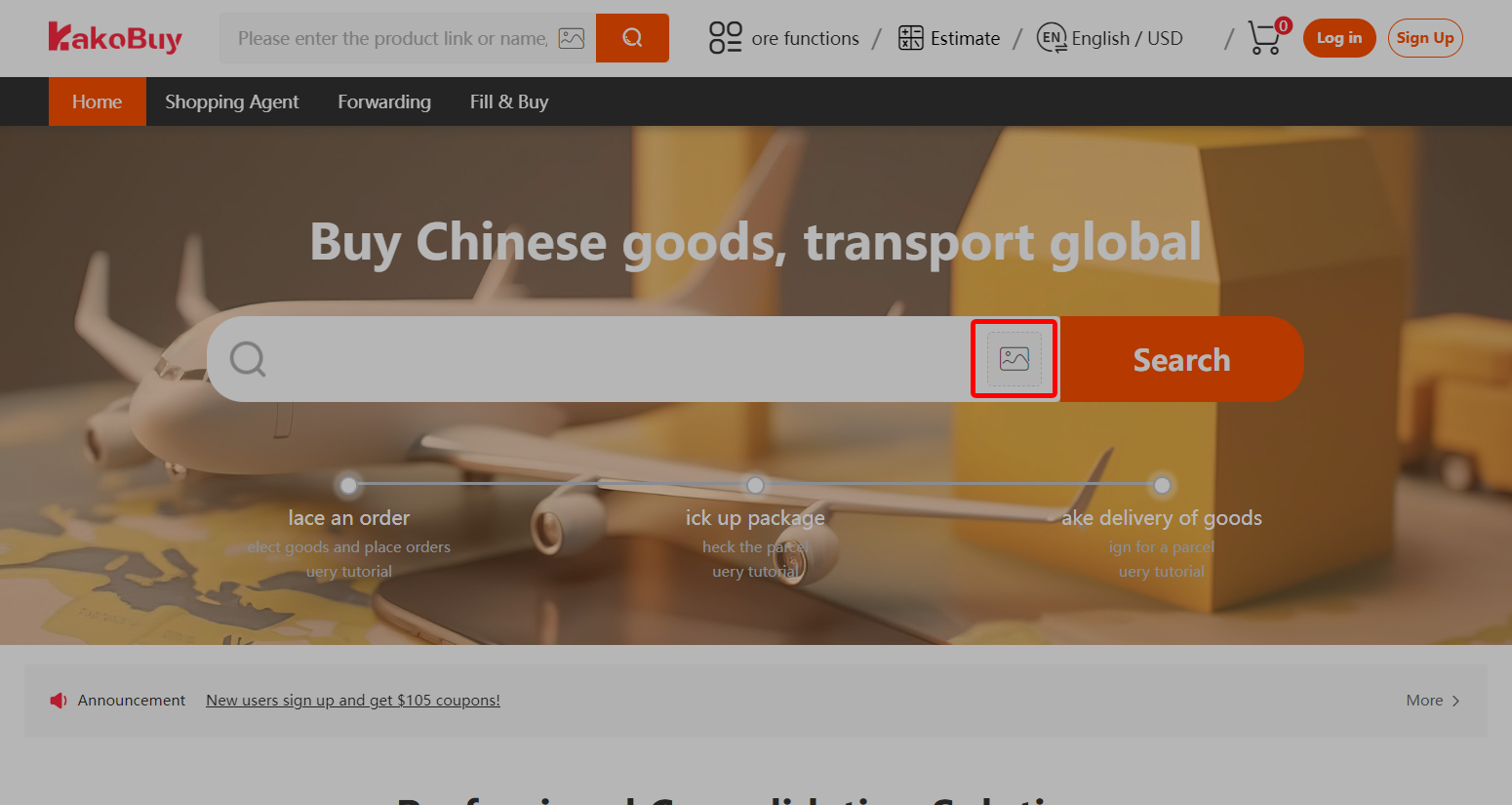
Search by image. Use the image button in the search bar to upload a product photo. Check the results against the item and options you want.
Search by product name. Enter the product name. The published tutorial lists Taobao, Tmall, JD.com and 1688 for keyword search.
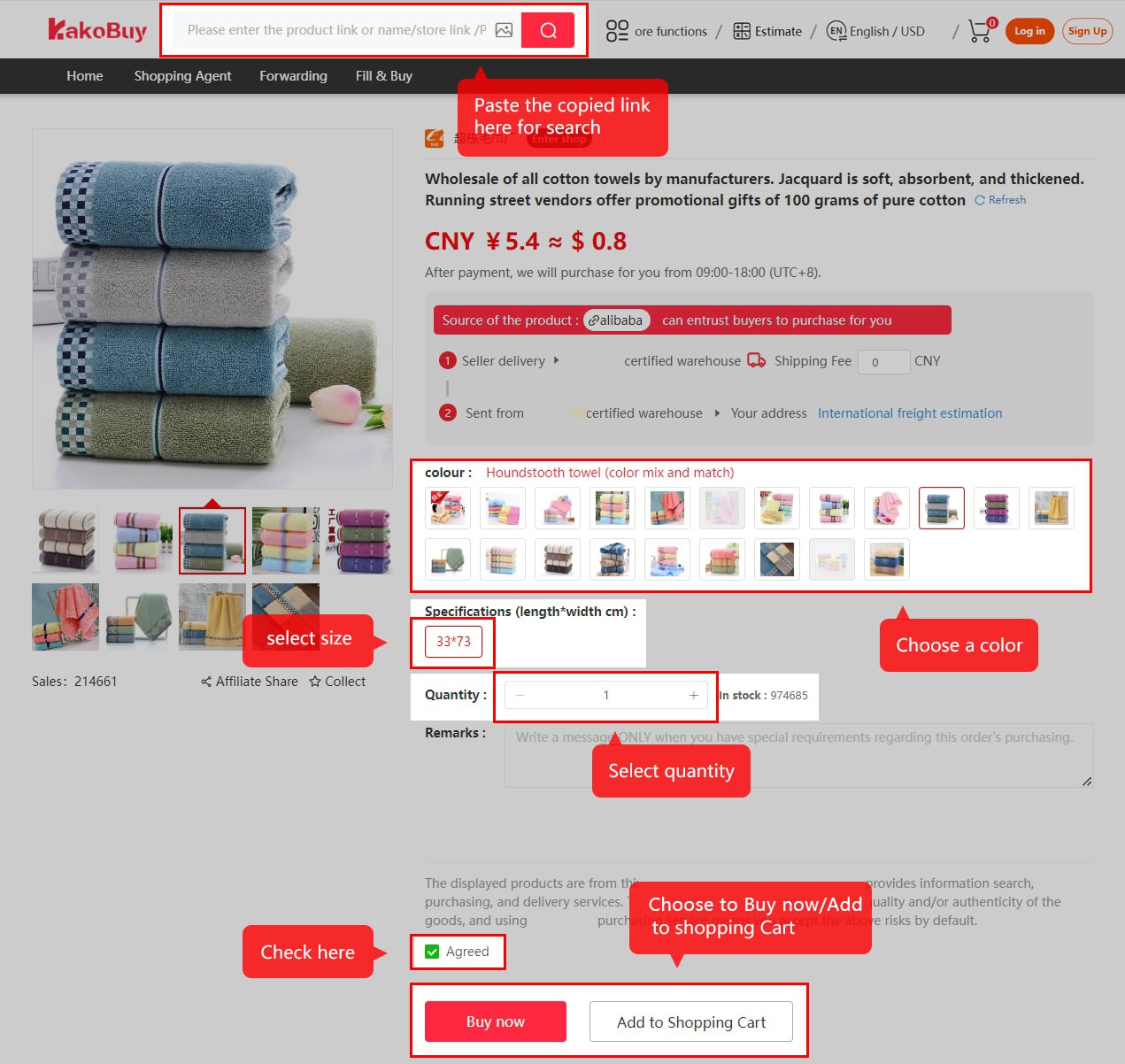
When the product loads. Select the exact colour, size, version and quantity on the Kakobuy product page, then use Add to Cart or Buy Now.
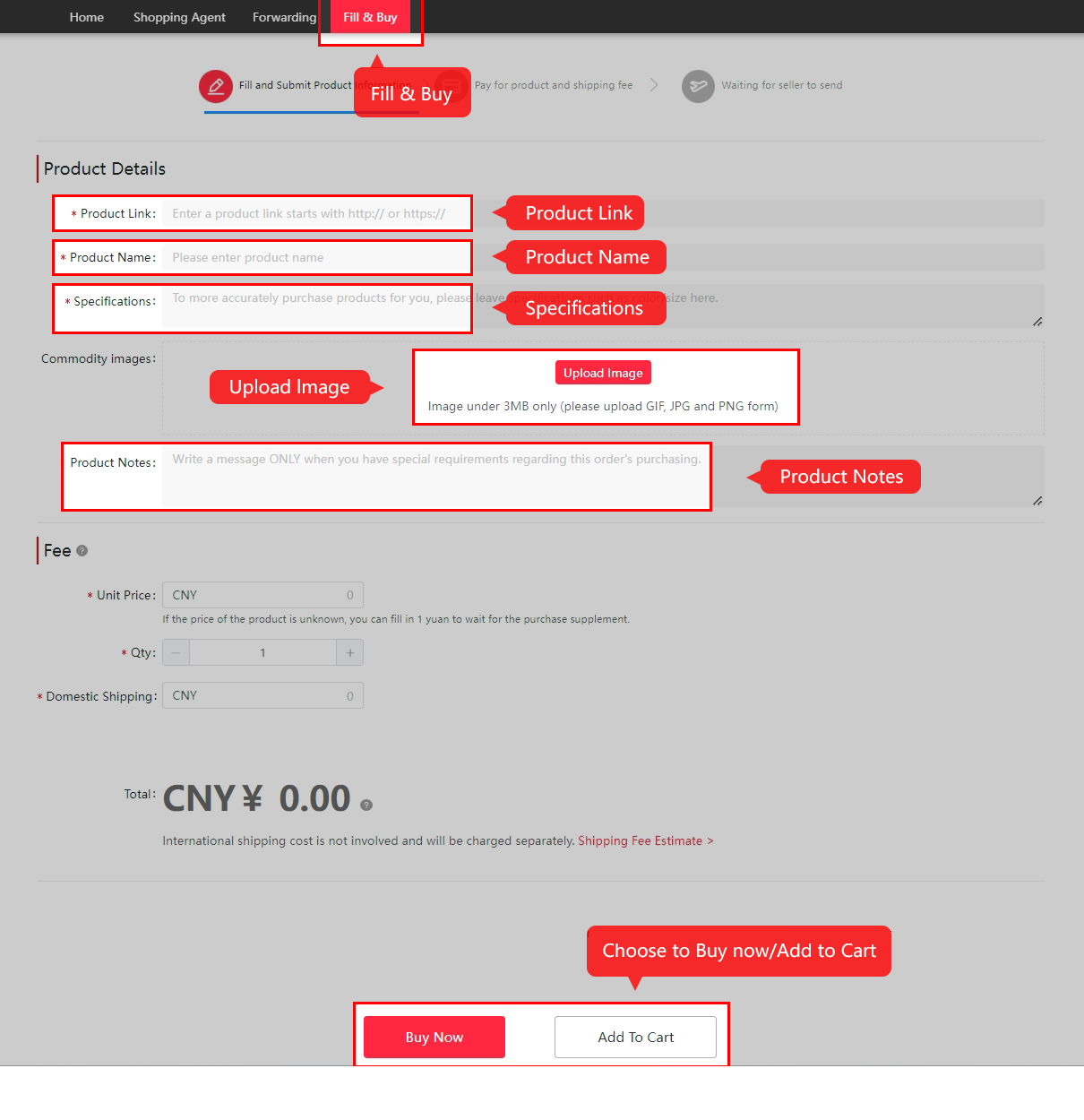
When the manual form appears. Enter the seller link and the requested item details. Review the price and domestic postage before adding it to the cart or buying.
At checkout, review the item total and the seller’s delivery charge to the Chinese warehouse. Submit the payment to create the purchase order.
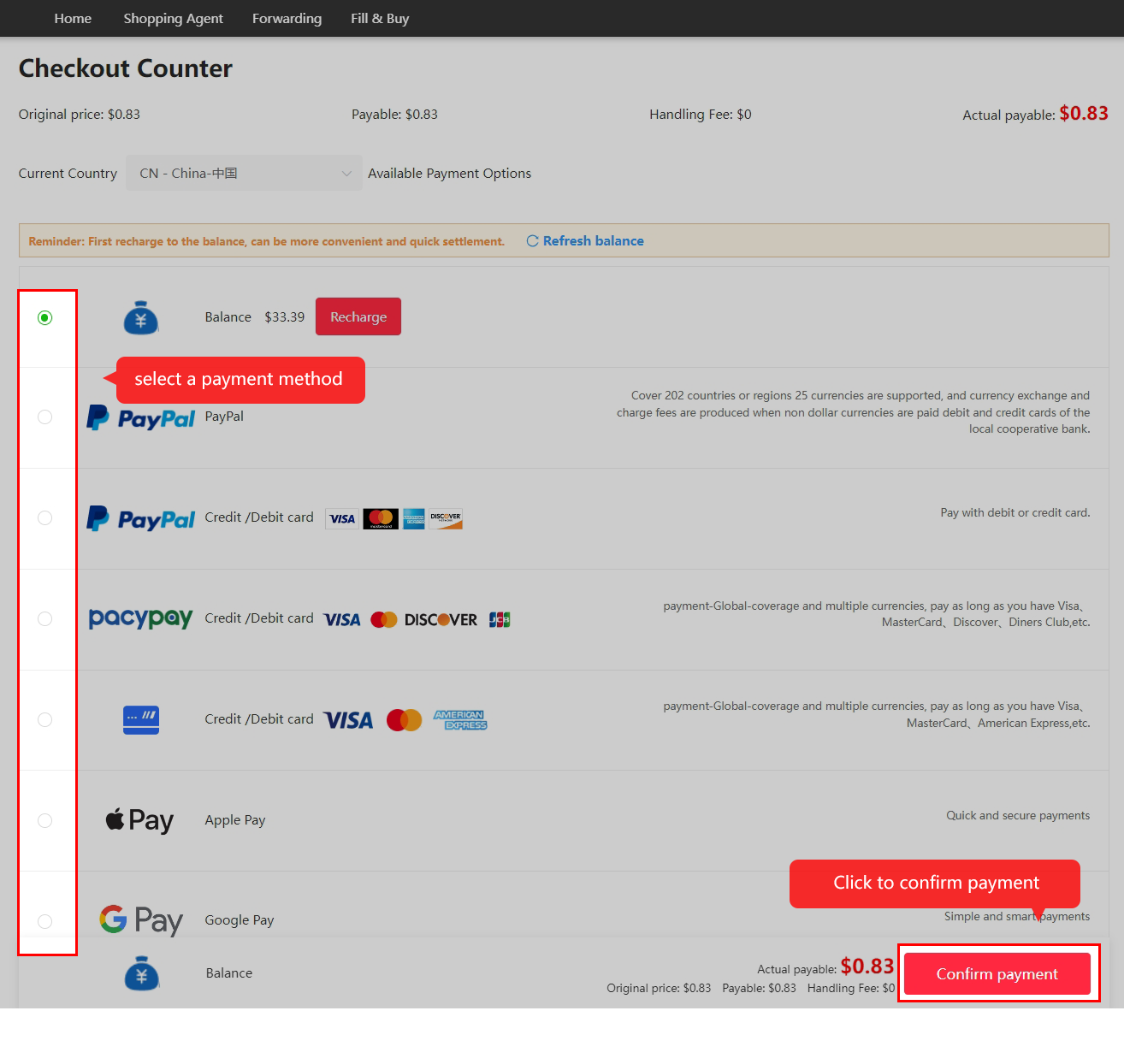
After payment, Kakobuy checks the request and places the order if approved. The seller then sends the item to Kakobuy’s warehouse.
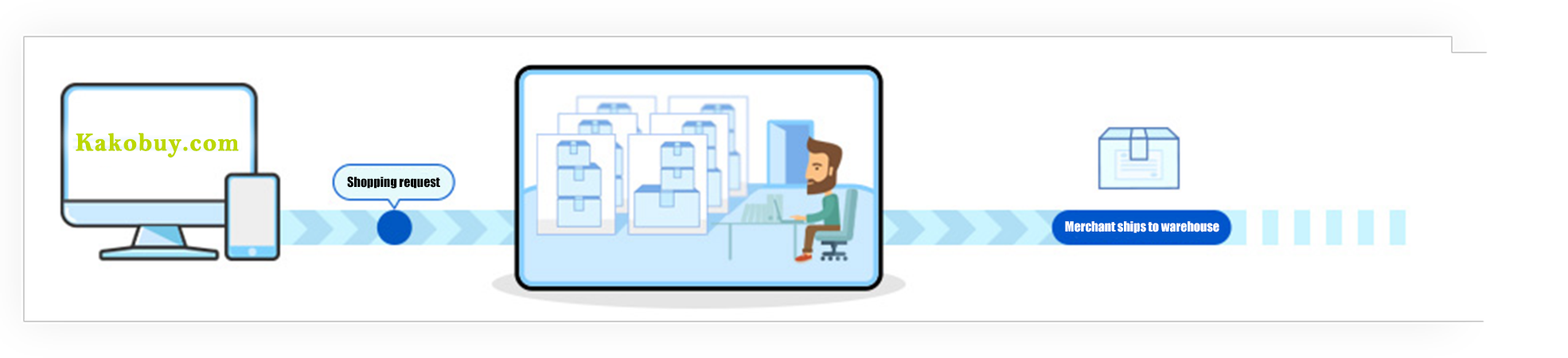
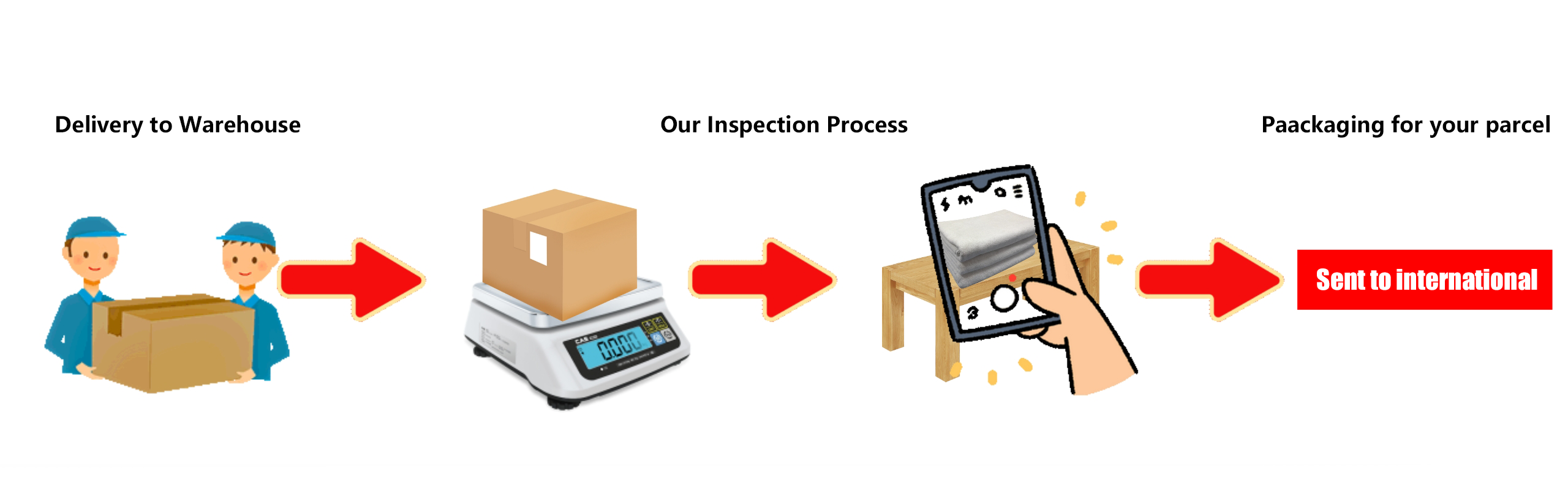
Check My Account → Orders or Warehouse once the goods arrive. Review the inspection status and compare the QC photos with the option and quantity ordered.
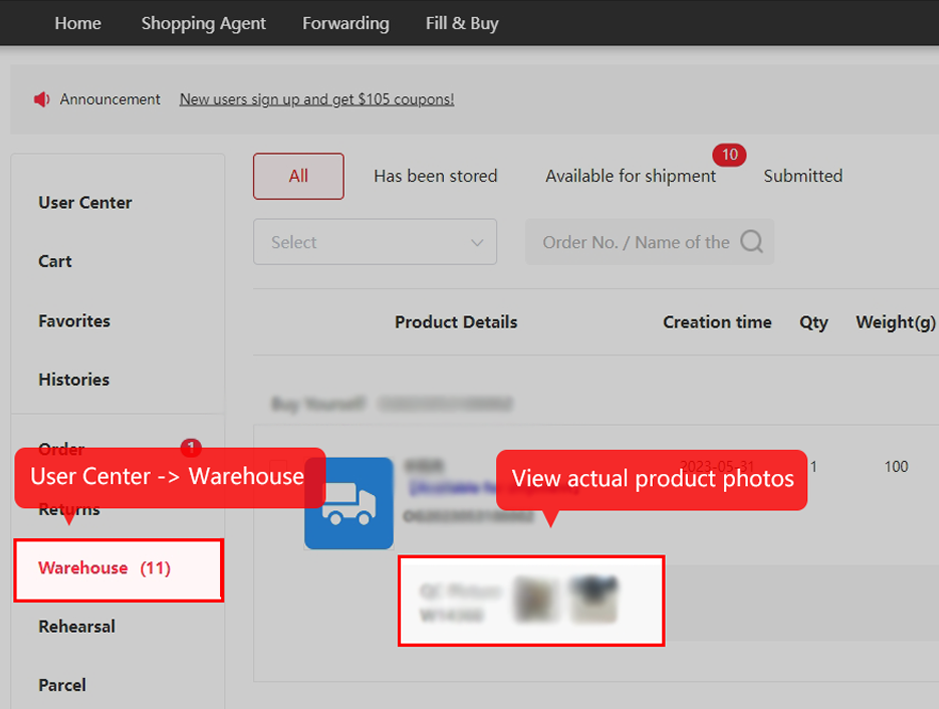
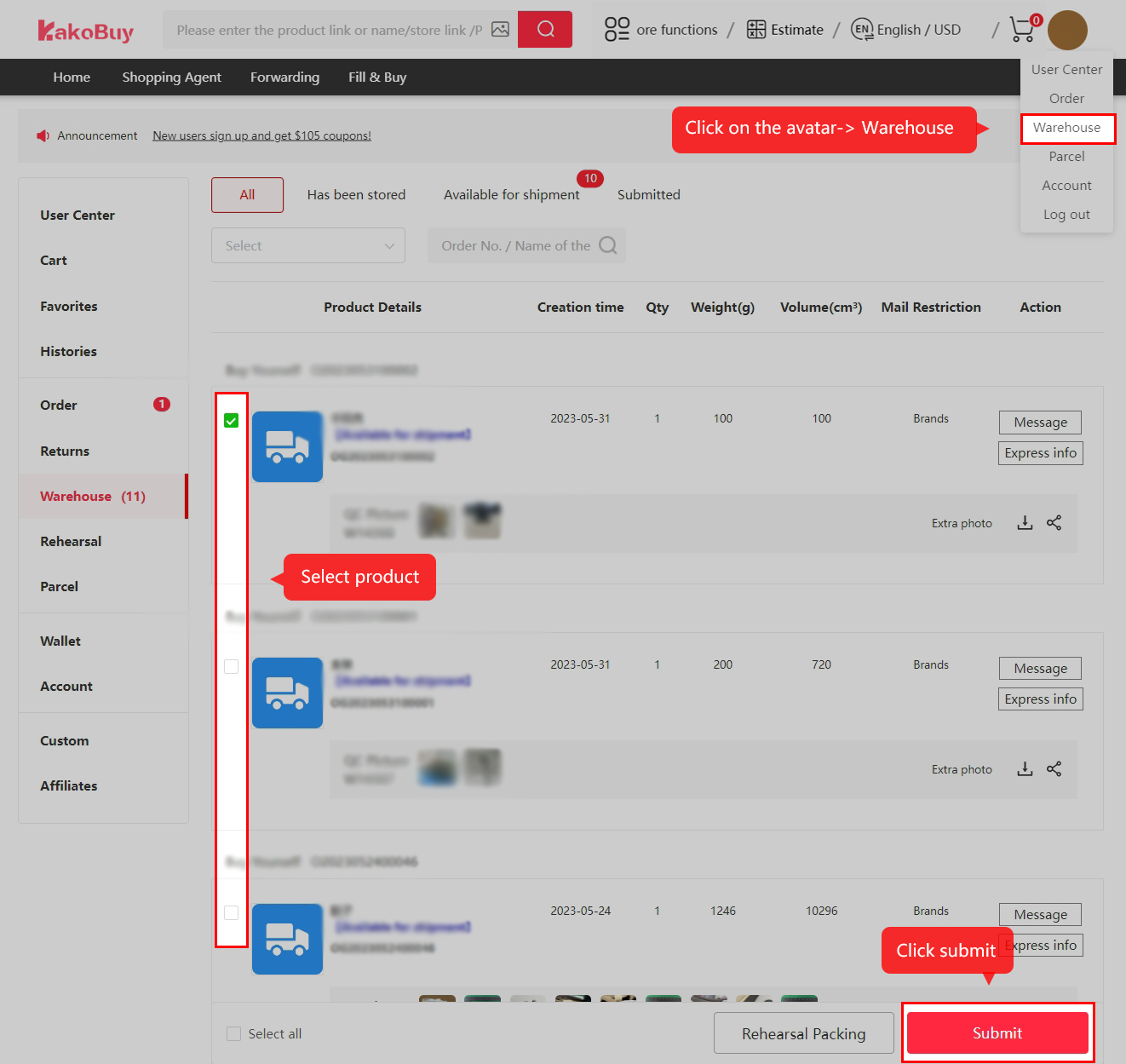
Select items. Open My Warehouse, select the items to send and create a parcel waybill. Combining compatible items lets you compare one parcel with separate shipments.
Choose delivery and packing. Enter the recipient address, choose an eligible route and add services such as repacking, reinforcement or tag removal if needed.
Review the charges. Check the freight, customs-related charges and selected extras before paying. Route and destination, restrictions and the billed weight all matter. The guide describes a refund to your balance when the final freight is lower than the estimate.
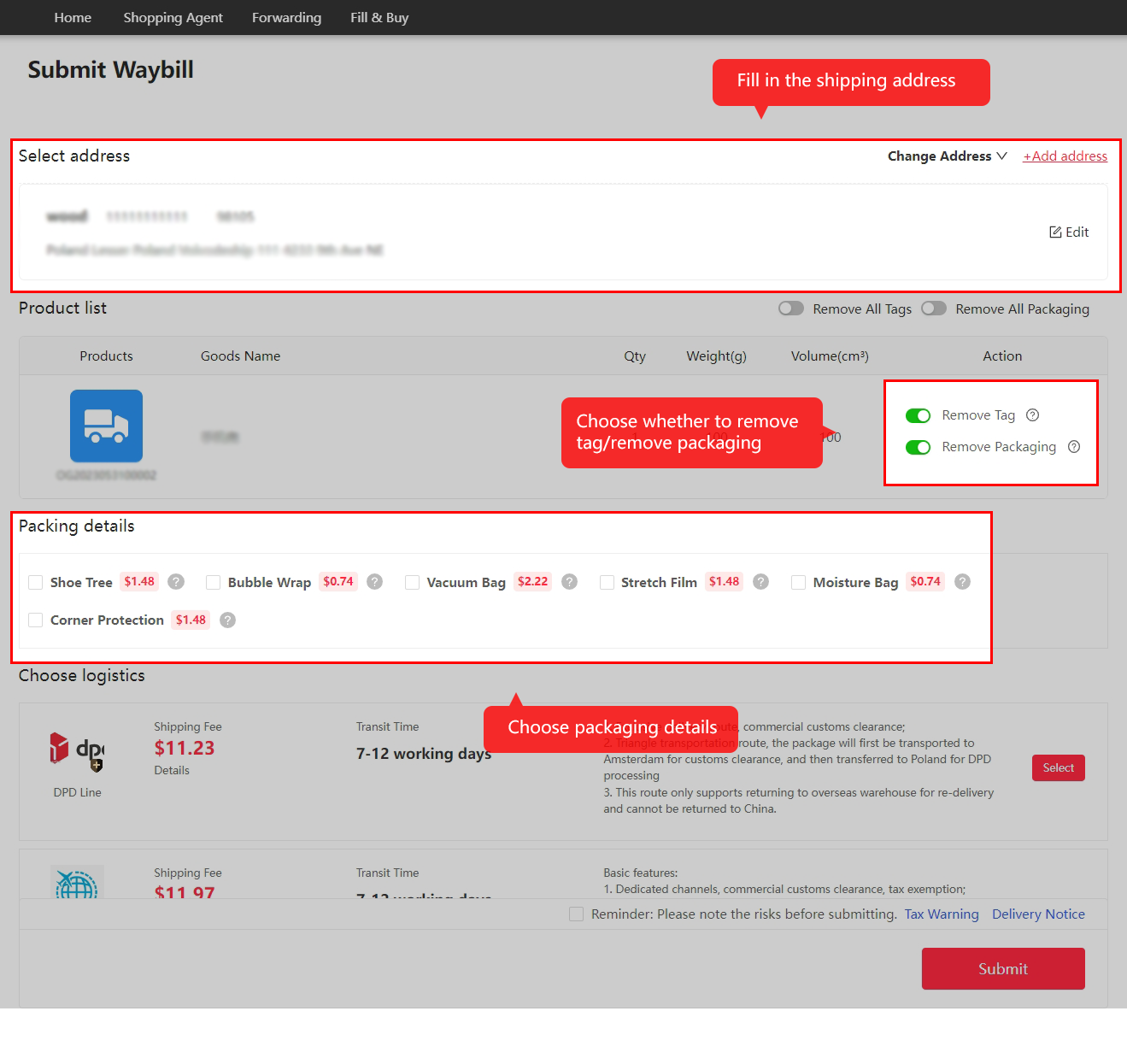
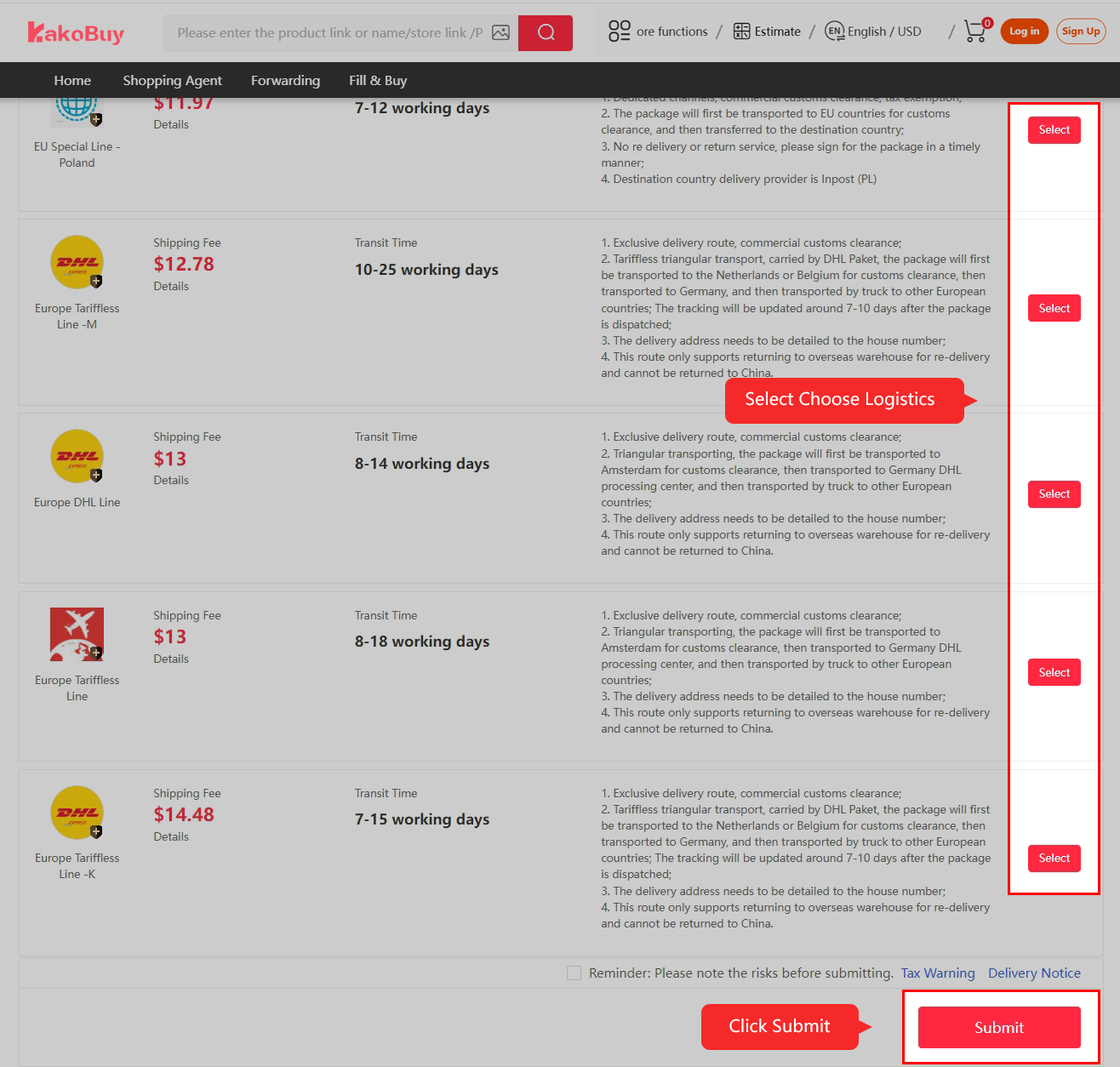
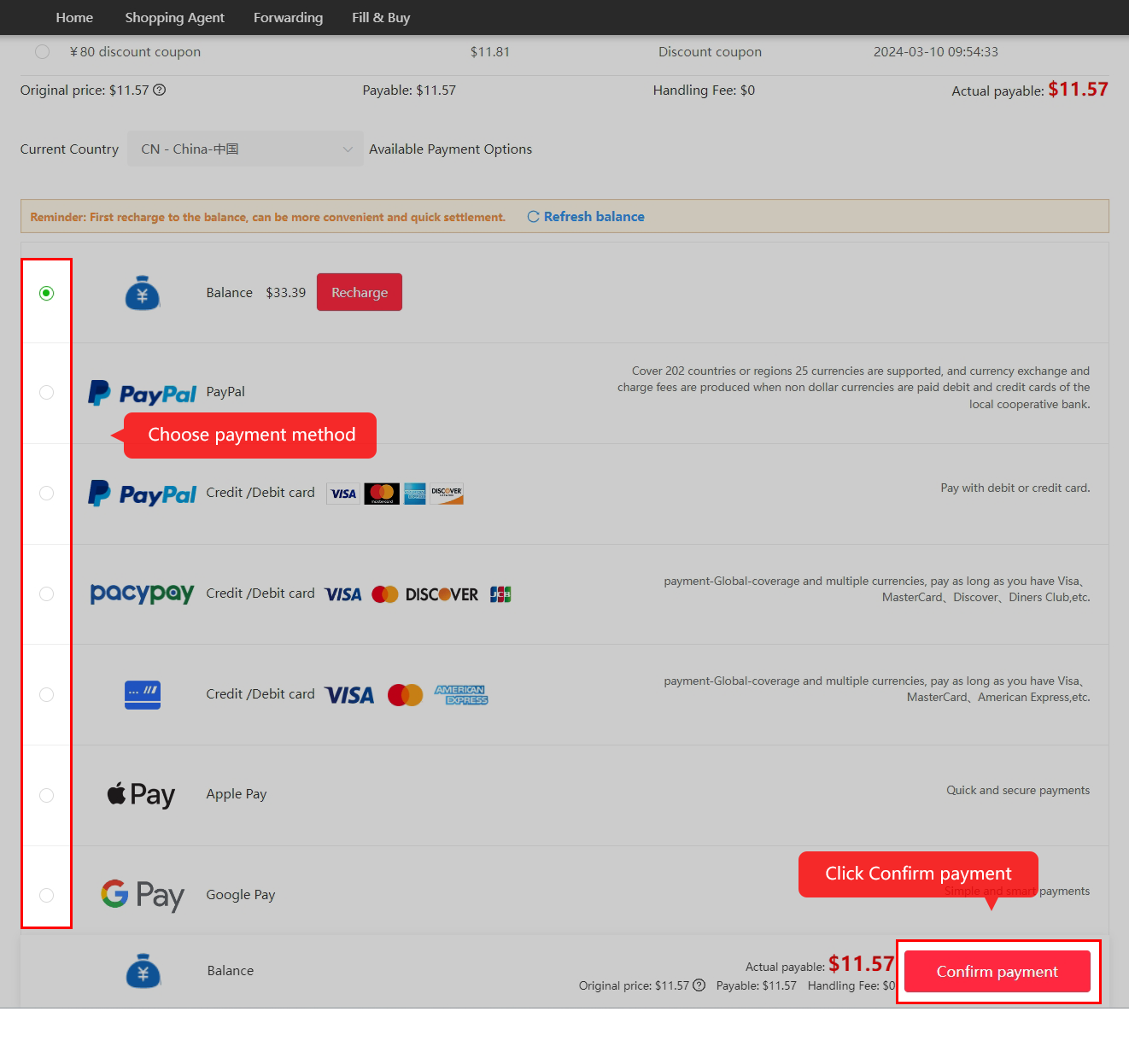
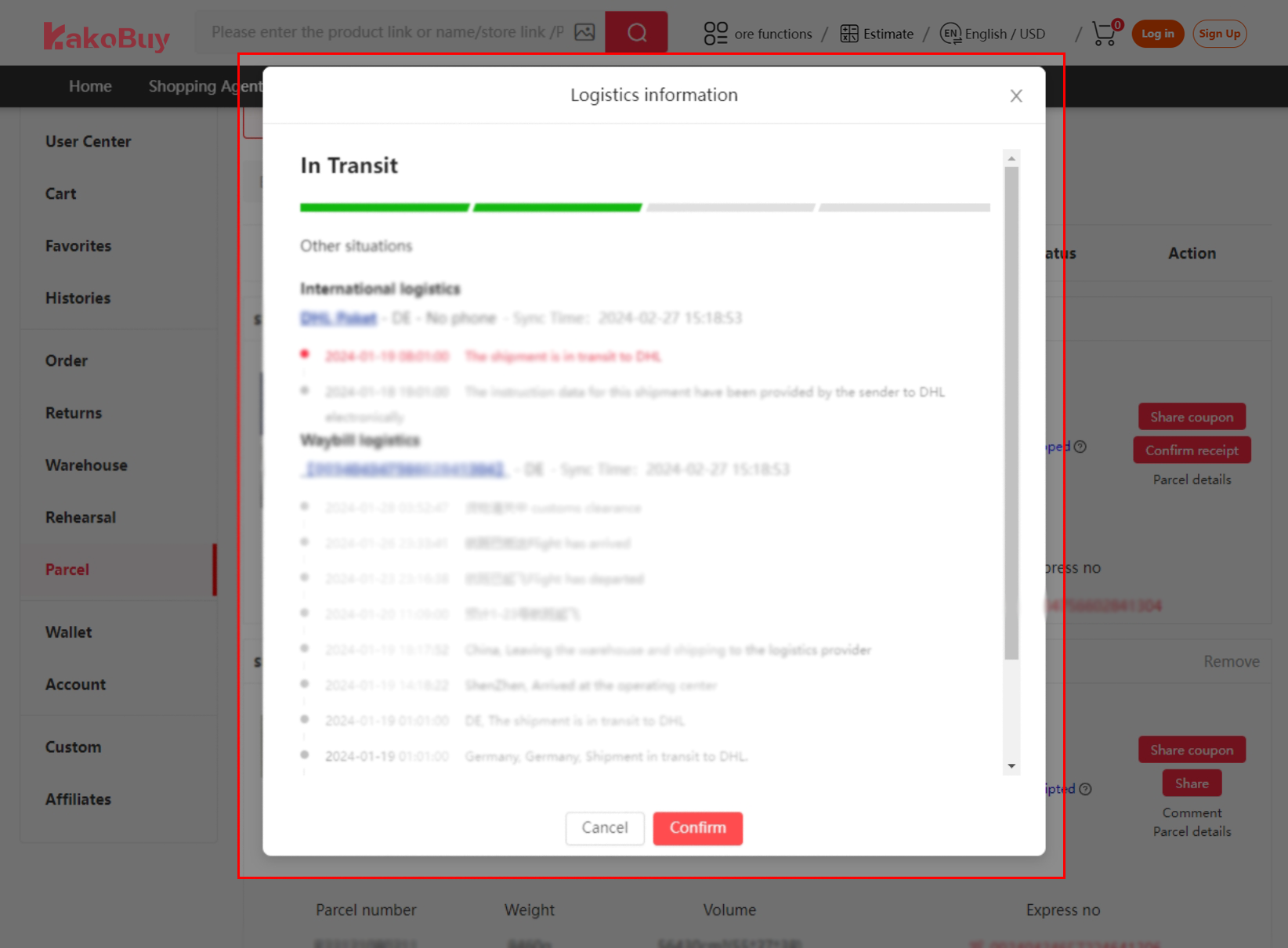
Once Kakobuy packs and dispatches the shipment, open My Account → Package to see the tracking number and status.
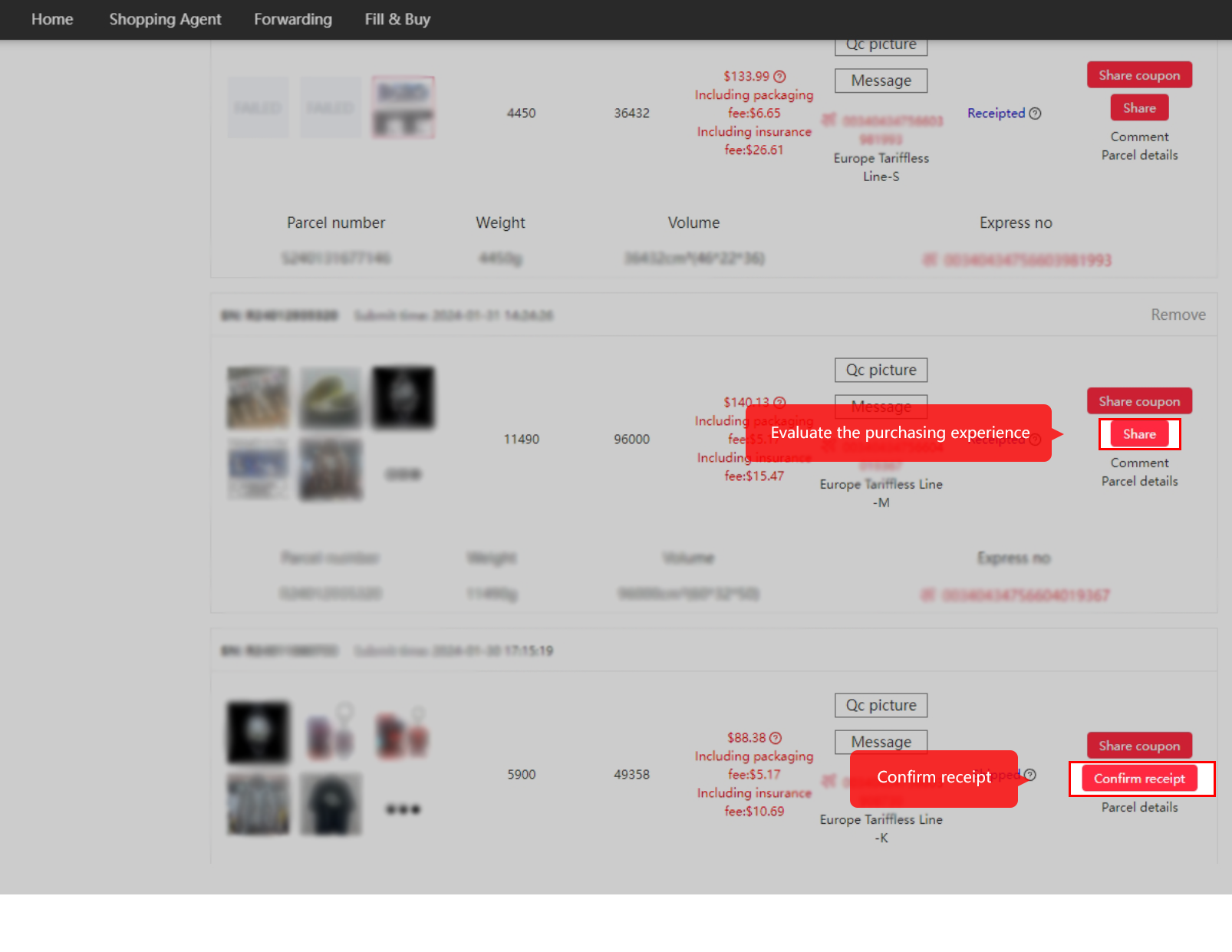
Once you have received and checked the parcel, use Confirm receipt on the Parcel page in the User Center. You can then leave feedback on the purchase.
See the Kakobuy profile for service background, policy references and updates.
On 30 June 2026, a shopper reported that a 6.25 kg parcel arrived in Australia well packed. Tracking in the app lagged behind the carrier’s own tracking.
The order route for a game player or a model car, with the two places it pays to slow down.
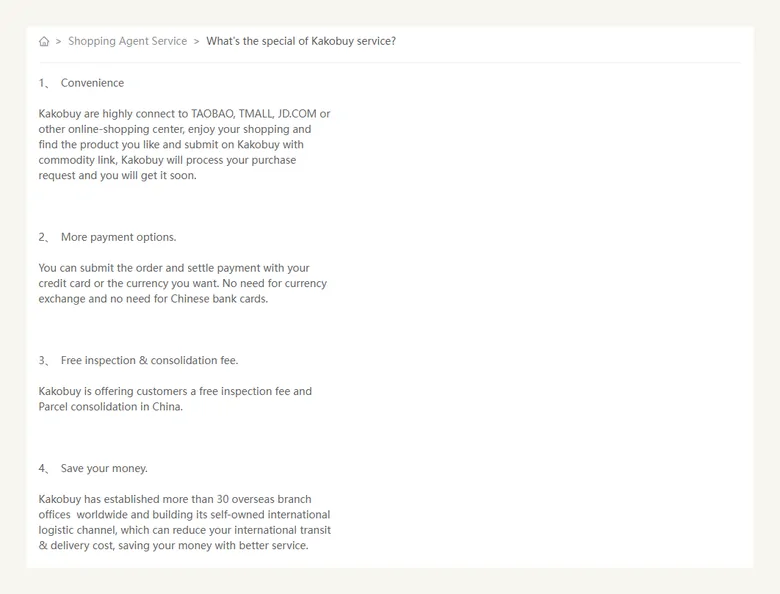
Kakobuy is an agent that buys from Chinese shopping sites on your behalf. Paste in a product link; Kakobuy then buys that item, collects it at its Xiamen warehouse, photographs it, and keeps the lot in storage until you request shipping; one parcel can combine items from many sellers. You pay in your own currency by card, PayPal or another method it lists, and, as help 79 puts it, there is "no need for Chinese bank cards".
Two payments are involved. The first pays for the item plus the seller's delivery fee to Kakobuy. The second comes with the waybill and pays for the international line plus any extras chosen at that point. Between the two, the item sits in storage and you can look at its photos.
Kakobuy's contact page puts two companies behind the service: a Denver firm, EVERYDAY GO INC, and a British one, ANXIN SHOPPING CO., LTD, registered as no. 16947583 with a Beckenham address. On the App Store, the KakoBuy app's seller is Everyday Go Co., Limited. The site's own footer reads "© 2022-2026 kakobuy".

Here is the route step by step. It is the same for a game player as for a T-shirt. What changes is where you need to slow down: reading the listing at step one, and choosing the line at step five.

A catalogue built around clothing answers clothing questions: size, fabric, fit. This one is arranged around the questions objects raise, and those are mostly questions Kakobuy's warehouse leaves open.
Three things set it apart. The object shelves come first on the wall, so you do not dig through hoodies to reach the electronics. The object finder tags each pick with what its listing says about batteries, breakable parts and working parts, and quotes the Kakobuy rule beside the price. And every rule on these pages links to the help article it comes from, checked against the live help centre on November 10, 2026.
Some jobs it leaves alone. No product testing, no seller rankings, and no prices newer than the read date. Picks are a snapshot. When a card is out of date, the listing it links to is the truth.

Read buyer forums for an evening and Superbuy, CSSBuy, Sugargoo, Mulebuy, ACBuy, Oopbuy and Hoobuy will all come up, among others. They do the job described above, each with its own fees, warehouse, line list and inspection wording.
Comparing them on objects comes down to three questions you can answer from their own help pages. Does the inspection article say electronics are switched on, or only looked at? Are battery limits written per line, and can you see them before you register? Is there a written rule on sealed boxes and figures? Written answers to all three beat a promise in chat, because you can hold an agent to them.
Fees and line prices are worth comparing too, but they move weekly, so compare them on the day you buy, for your country and your parcel weight. We publish no agent ranking, and the Kakobuy account link is our only income from any agent.
You need a Kakobuy account before you can paste a link and order. The button below is our referral link. It opens Kakobuy's normal home page with our referral code in the address, which is how Kakobuy credits this site for the sign-up.
Kakobuy also has an iOS app in the App Store under the name KakoBuy, published by Everyday Go Co., Limited, and an Android package offered on its own site. Everything on this page works the same in the browser.
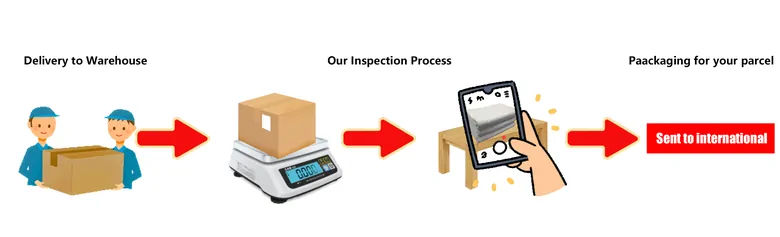
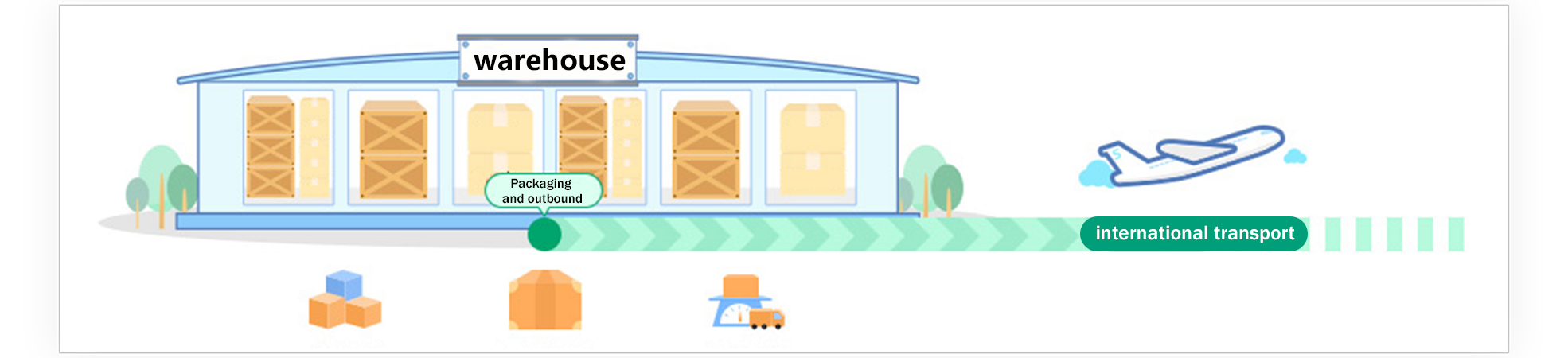
The diagram underneath is Kakobuy's own picture of its first half: delivery to the warehouse, the inspection step and packing for your parcel.