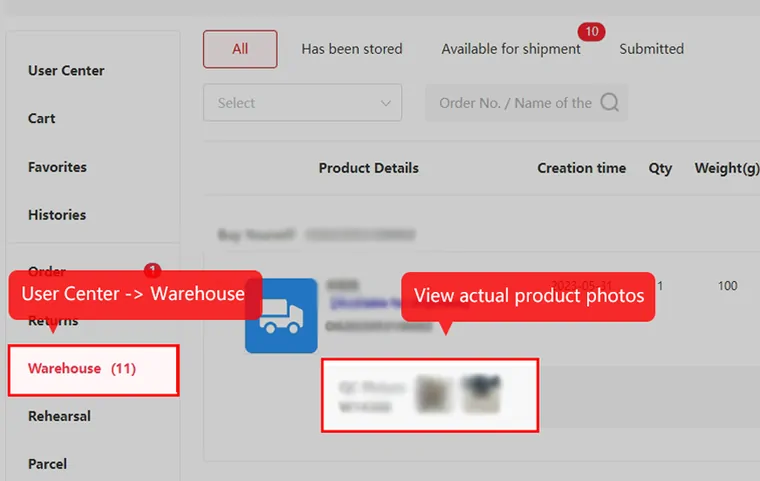
Reading Kakobuy warehouse photos of an object
For an object the warehouse photo is your one look before it ships. Here is what it can show and what it cannot.
What the photo step covers for an object
When an object reaches the warehouse, its status changes to "Stocked in" and photos appear in your warehouse list. Kakobuy's tutorial marks the path: open User Center, pick Warehouse, and press the "View actual product photos" button.
For clothing those photos show measurements, stitching and print. For an object they show what help 89 allows: the outside, compared with the listing for model, style and size. Help 48 adds that the inspector checks whether the appearance is sound and whether accessories are complete. That last part is the most useful thing a gadget photo gives you: is the cable there, is the remote there, is the stand in the box.
Sealed items are photographed sealed. A boxed figure's photo is a photo of a box; a shrink-wrapped kit is a photo of shrink-wrap.
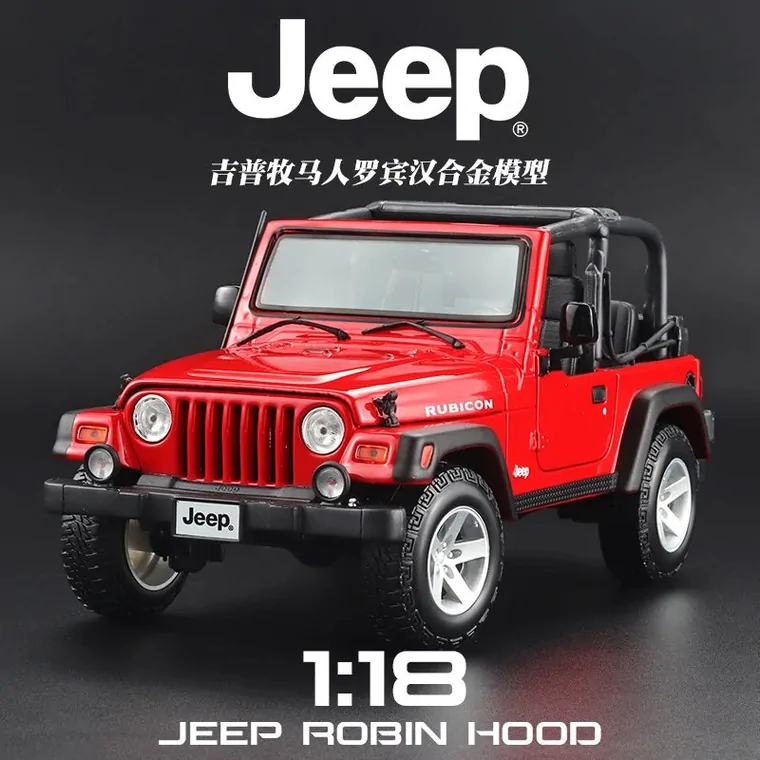
A five-point read of a model car photo
Scale models are the commonest object in our finder, and reading QC photos of one takes five checks:
- Box against listing. Same box, same scale printed on it, same version. The Jeep Wrangler listing prints 1:18 and "JEEP ROBIN HOOD" on its photo; the box in the warehouse photo should match.
- Paint. Look along the roof and doors for runs, chips and dust under the clear coat.
- Small parts. Count wipers, antennas, spoilers and the other small trim parts against the listing photo. They break first.
- Wheels. All four on, none bent, tyres seated.
- Doors and hood. If the listing shows them open, the photo can show whether they are present. It cannot show whether hinges are firm.
If one of those five looks wrong, help 51 allows 120 hours, counted from the top of the hour following "Stocked in", to request an exchange or send it back. If all five look right, the model is as good as a photo can say. Function, such as lights or a pull-back motor, stays untested.
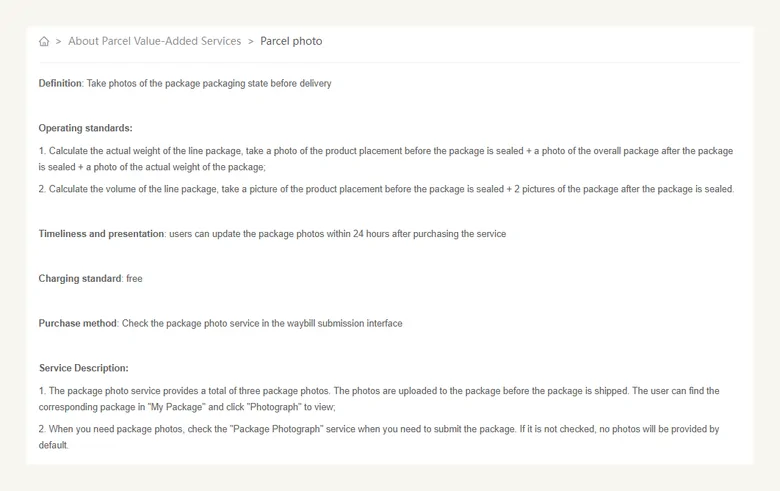
Two more photo options: parcel shots and a named detail
Help 118 describes a free parcel photo service. Tick "Package Photograph" when you submit the waybill and Kakobuy takes three photos: one of the contents before the box is closed, one of the closed box, and one of it on the scale (or two outside shots for lines charged by volume). They appear under "My Package" within 24 hours. If you do not tick it, no photos are taken.
For an object parcel those photos answer a real question: how was it packed? A boxed model wedged between hoodies is fine; one loose in a corner is not. The photos arrive before the parcel ships, so there is still time to ask.
Help 114 describes a paid personalized photograph for a detail you name, such as the underside of a car or the screen of a console. It is the one way to ask the warehouse to look at a particular spot. It still does not include switching anything on.
How many ordinary photos come free is not stated in the help centre. Kakobuy's video says two per item in a checkout reminder at 0:53 and shows five thumbnails per item at 1:05. All three are Kakobuy's.
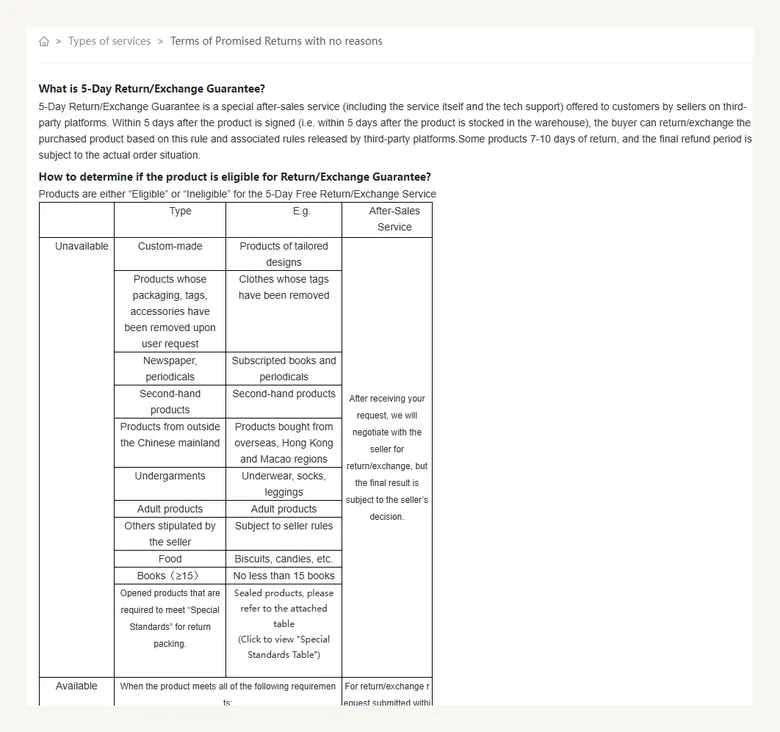
Damage visible in the photos, and 120 hours to act
Help 51 sets out what happens when the photo shows something wrong. If the seller sent the wrong item, if the item has an obvious quality problem when stocked in, or if it was damaged in domestic delivery, Kakobuy puts the return cost on someone other than you. Changing your mind means paying postage in both directions plus a service charge that climbs with each extra return in the same calendar month. Help 51 waives the fee on your first one each month, unless you are a Prime member.
The window lasts 120 hours and begins on the first full hour after the item is marked "Stocked in". Every return still depends on the seller saying yes, and items that break the Special Standards table, such as a figure whose seal has been removed, are out.
For objects that leaves one practical rule: check new photos the same day. The 120 hours run out even if you never open the page.